
Skip to content

Track the hours. Send the invoice. Get paid.

Fast, intuitive time tracking and invoicing for freelancers, consultants and teams who bill by the hour.

The shortest path from a week of work to a paid invoice.

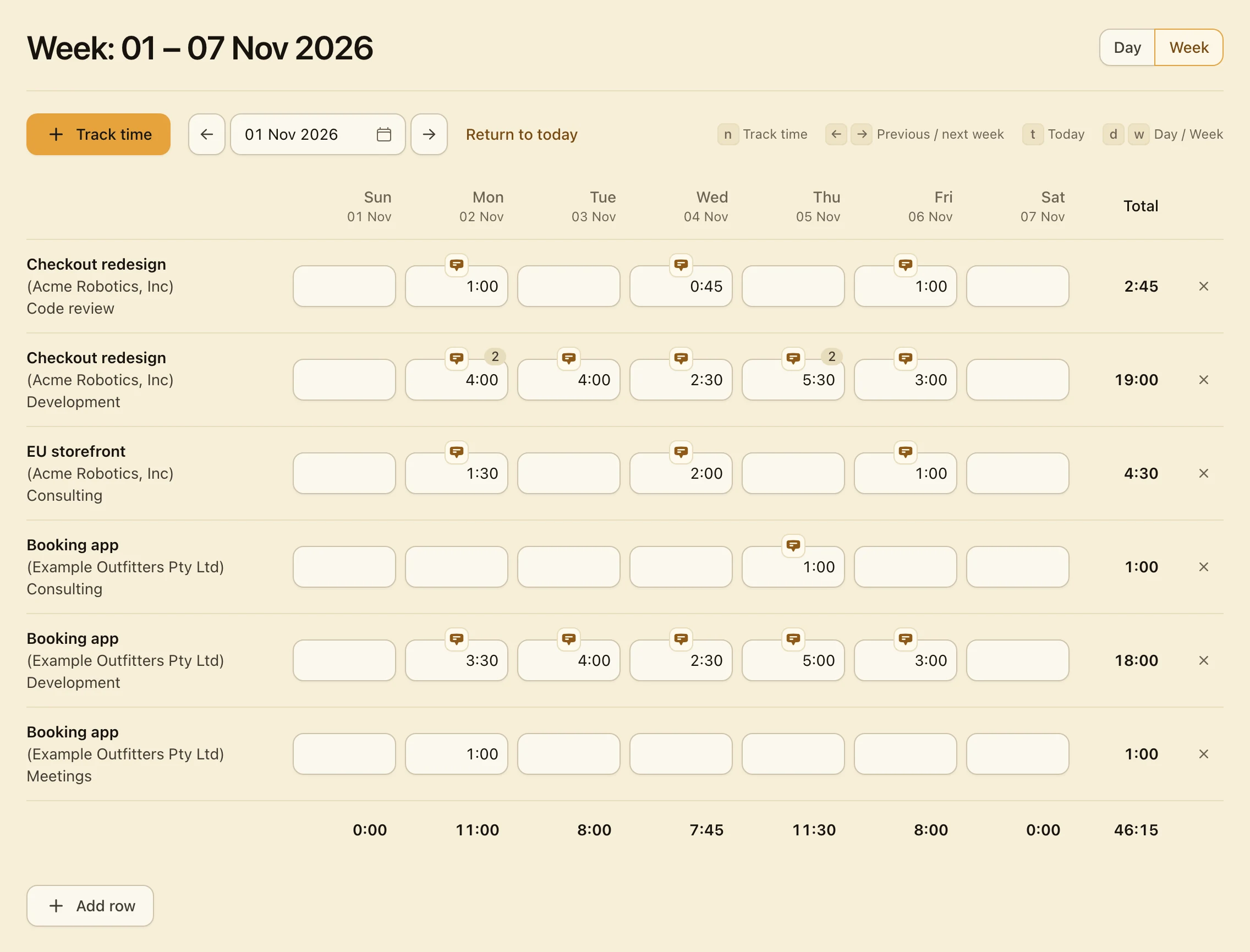
A demo of the timesheet. In the Day view, Track time opens a new entry with the last project already chosen, a note and 1.5 hours are typed, and Save adds the entry. In the Week view, 1 is typed into an empty cell, which saves when the pointer moves on. The week total goes from 43:45 to 46:15.

  1. Track time
  2. Type a note and the hours
  3. Save
  4. Switch to Week
  5. Type in any cell

Simple on purpose.

Hourbun does a lot, but every screen stays plain, clear and quick to use.

  • A few screens.

    Dashboard, Time, Expenses, Invoices, Estimates and Reports, plus your clients, projects, tasks, team and settings.

    Six main screens
  • Ready on day one.

    Your workspace starts with a currency, a week start and payment terms. Add a client, a project and a task, and track your first hour.

    AUD · Net 30
  • Quick to learn.

    Every button says what it does, in plain words, so you find your way without a manual.

    No manual
  • Solo, or with a team.

    Start on your own, and invite teammates when you need them.

    Solo · Team

The core loop.

Track your hours, invoice them at the right rate and get paid. The reports and the dashboard show what’s next.

Track your hours.

Type hours into the Week view, add one entry at a time in the Day view, or run the timer.

  • Keyboard shortcuts n t d w
  • Several entries in one cell
  • Copy rows from last week
  • A timer saves an entry when you stop it
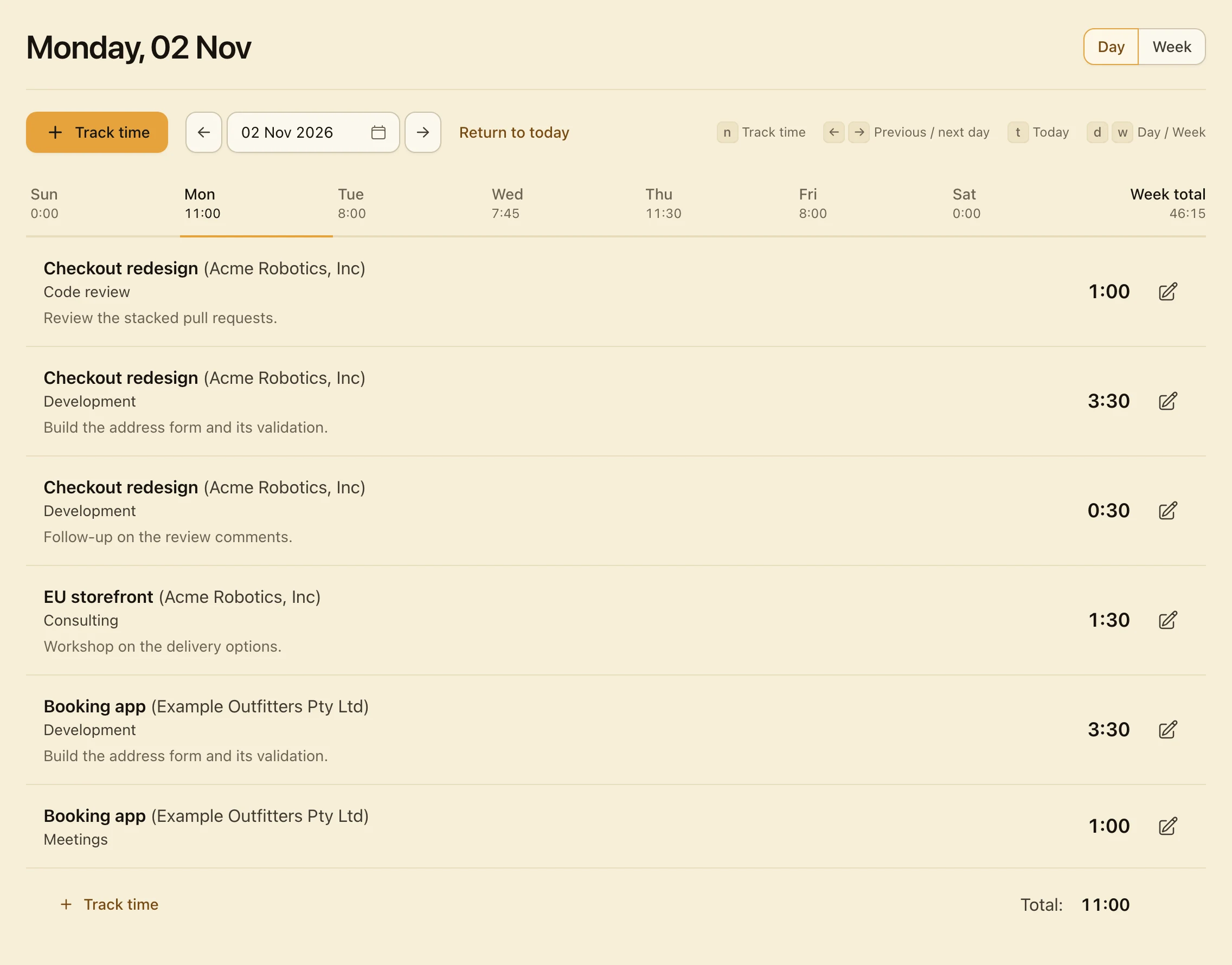
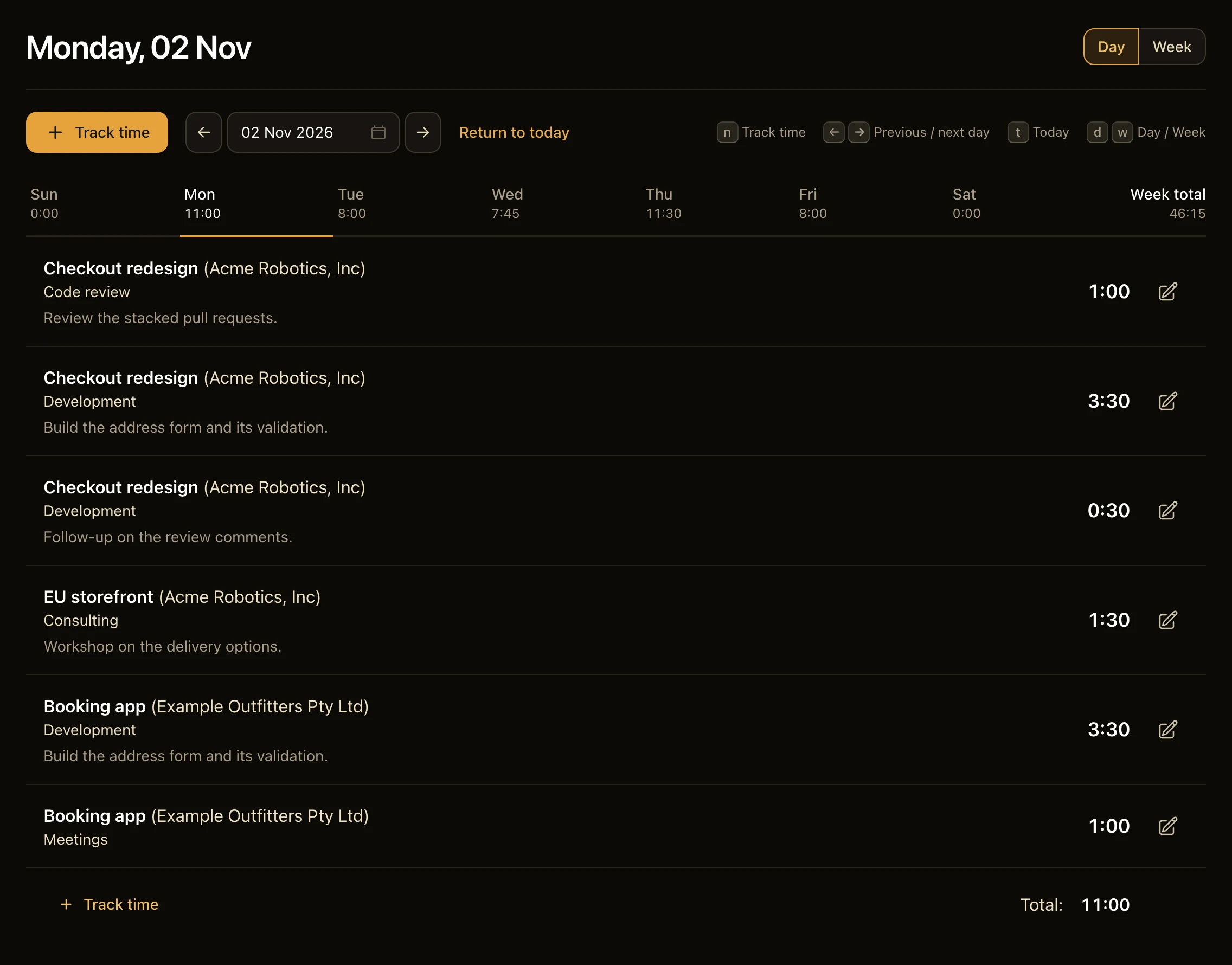
The Day view on a phone: a Monday, with a week strip of daily totals and each entry’s project, task, notes and hours.

Rates that stick.

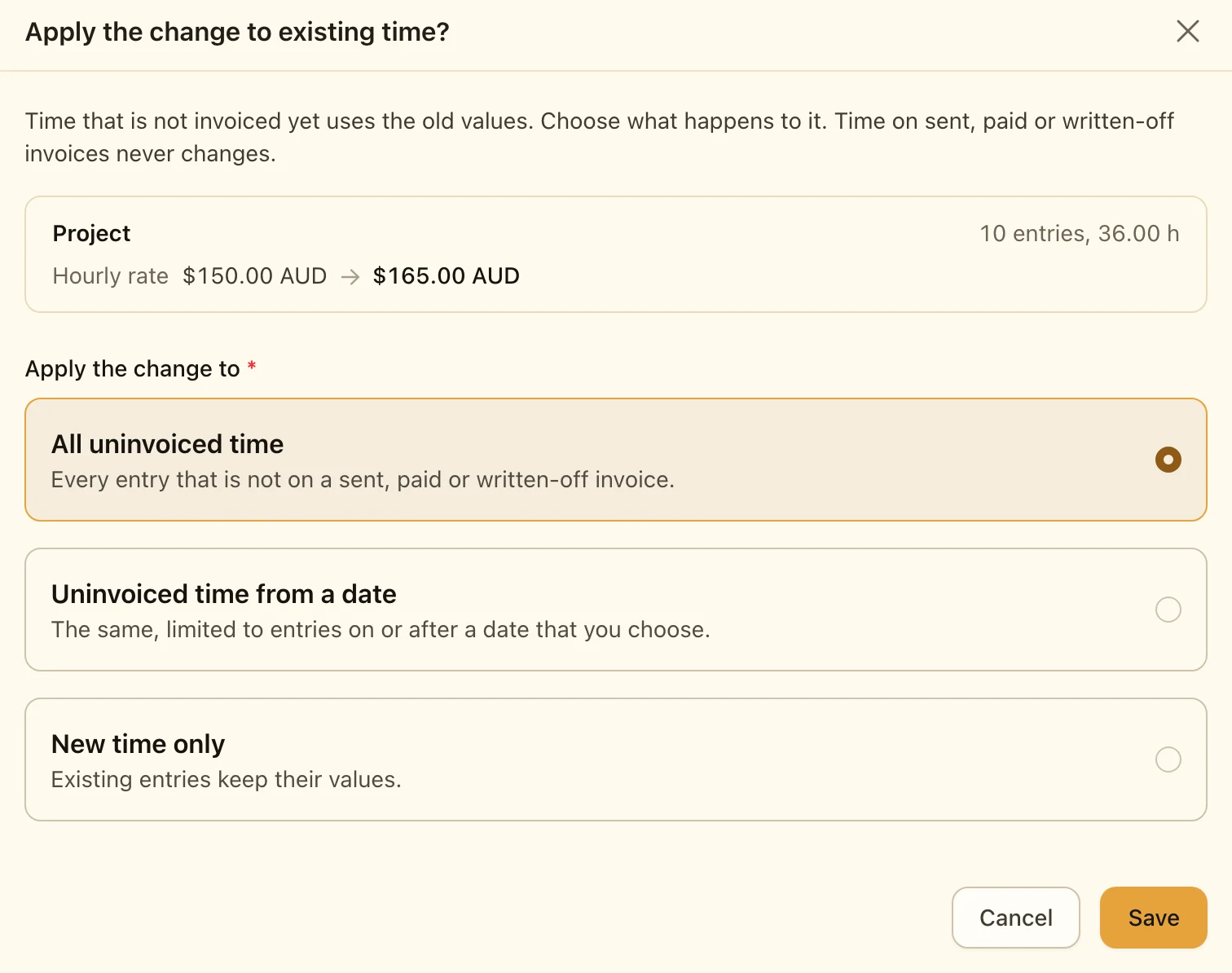
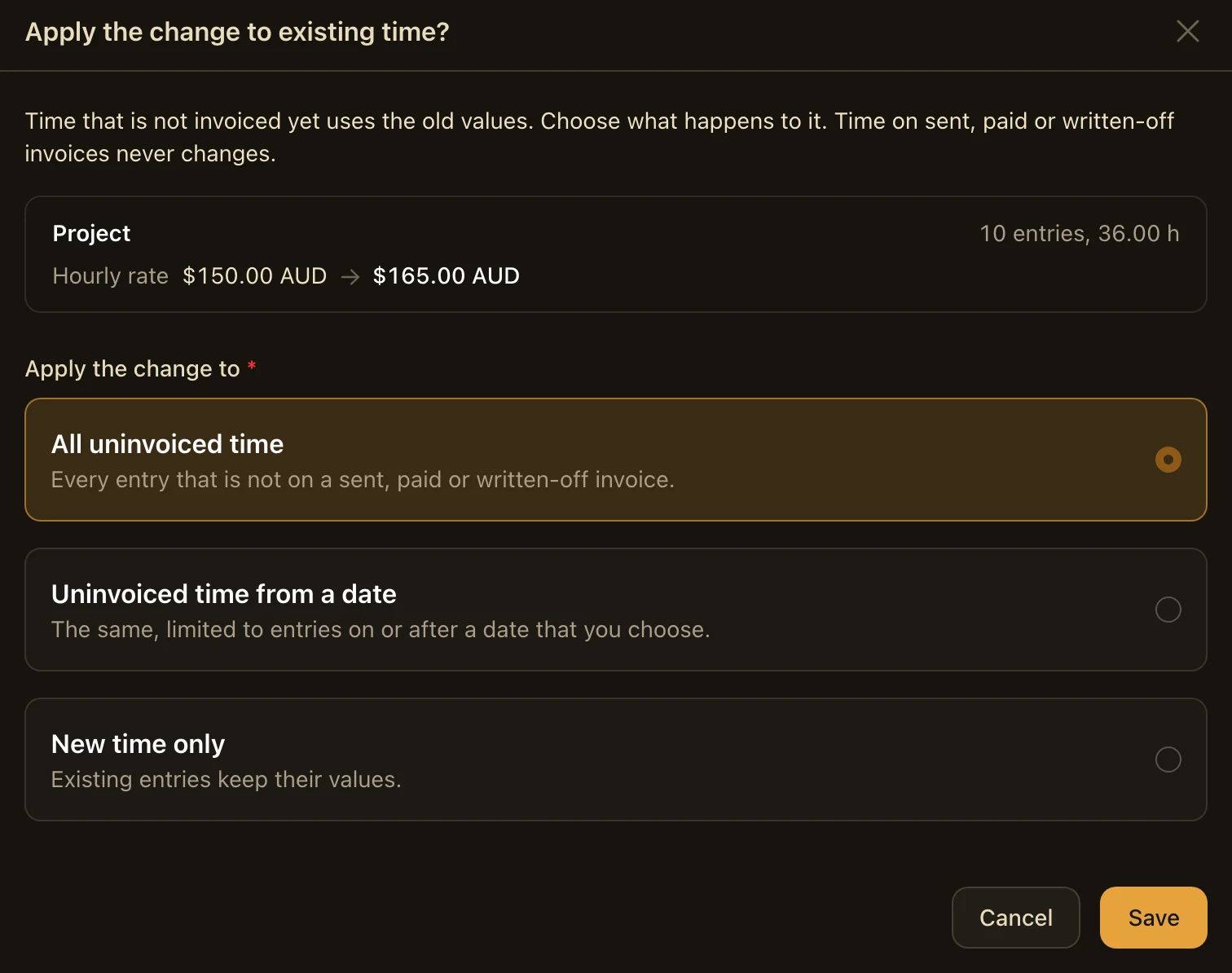
Each entry keeps the rate it was tracked at. When you change a rate, Hourbun asks which time it should apply to.

  • Clients, projects and tasks each with a rate
  • A task can override its project $180.00 over $150.00
  • A currency for each project AUD · EUR · USD
  • Or a fixed fee for a project and how much is left
The dialog that opens when a project rate changes from $150.00 AUD to $165.00 AUD, for 10 entries of 36.00 h: apply the change to all uninvoiced time, uninvoiced time from a date or new time only.

Invoice tracked time.

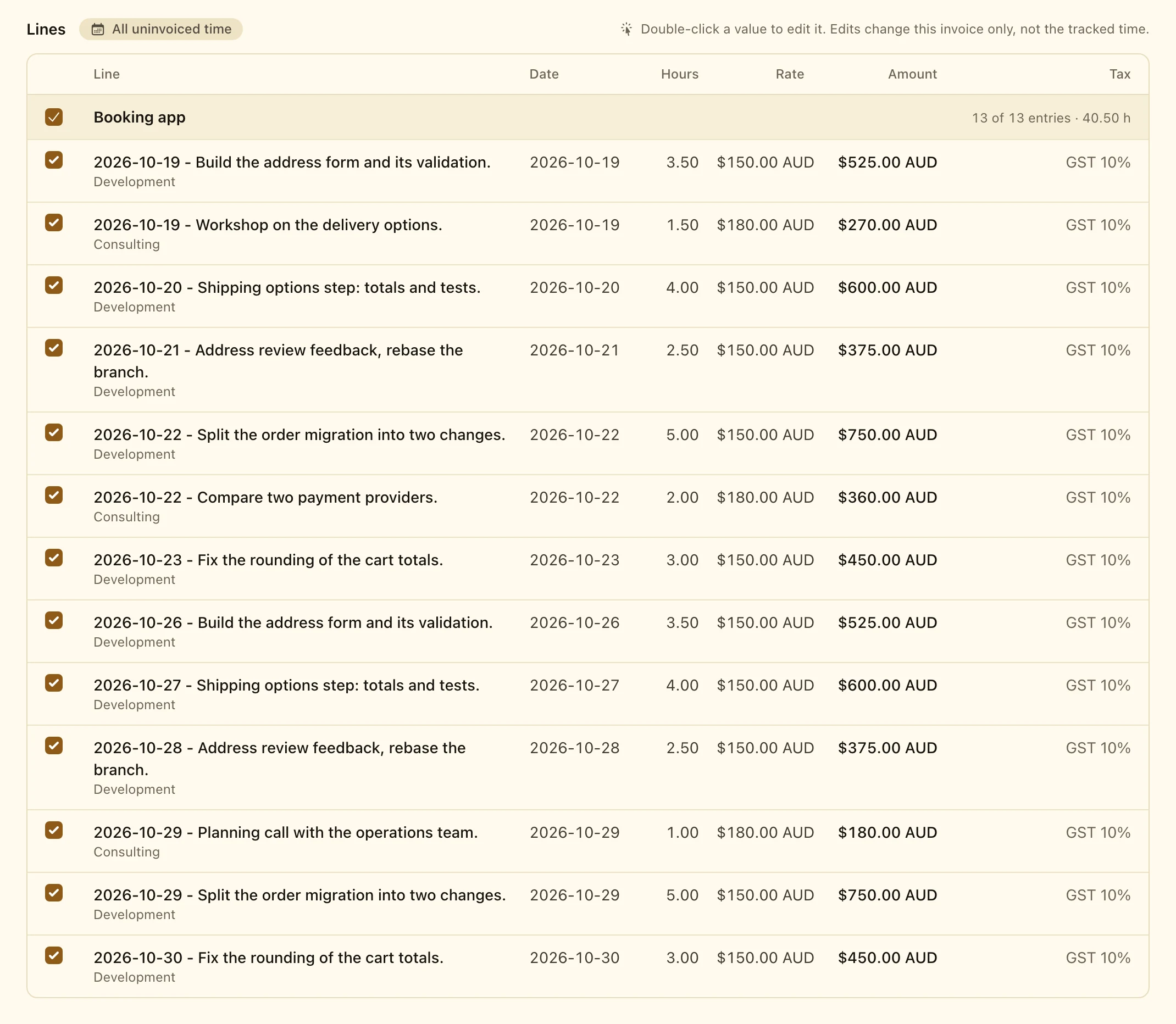
Pick a client and its projects: their uninvoiced time starts selected, and you can add lines for a fixed fee or a product.

  • Number, dates and notes
  • Sent in your name replies come to you
  • Tax after any discount GST 10%
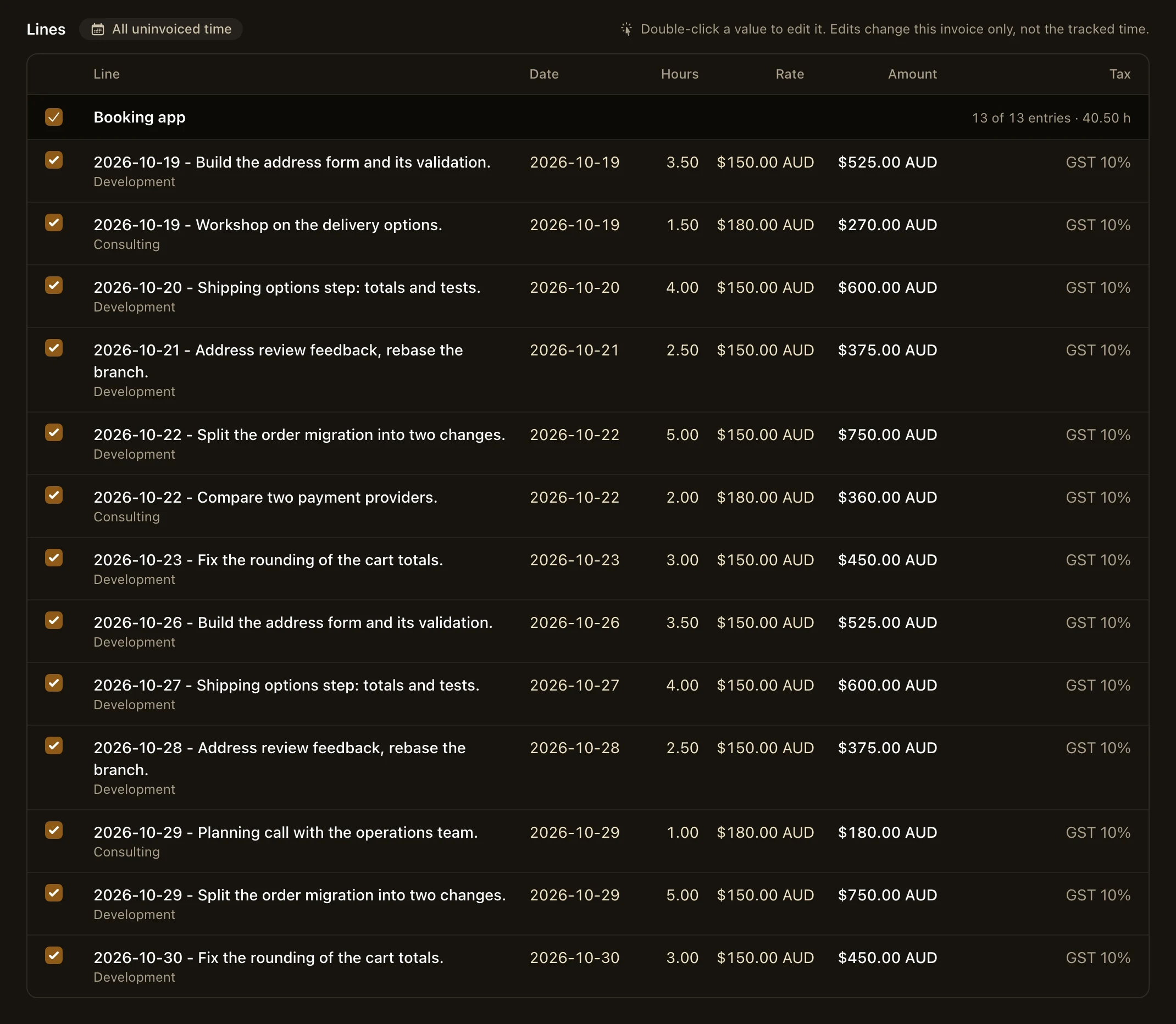
  • 13 entries, 40.50 h $6,831.00
A new invoice for the Booking app project: 13 uninvoiced entries, all selected, each with a checkbox, date, task, notes, hours, rate, amount and tax.

See where the time went.

Billable and non-billable hours for any timeframe, by client, project or task, with a total per currency.

  • Time chart and totals
  • Detailed time Export CSV
  • Uninvoiced Invoice it or write it off
  • Invoices and payments
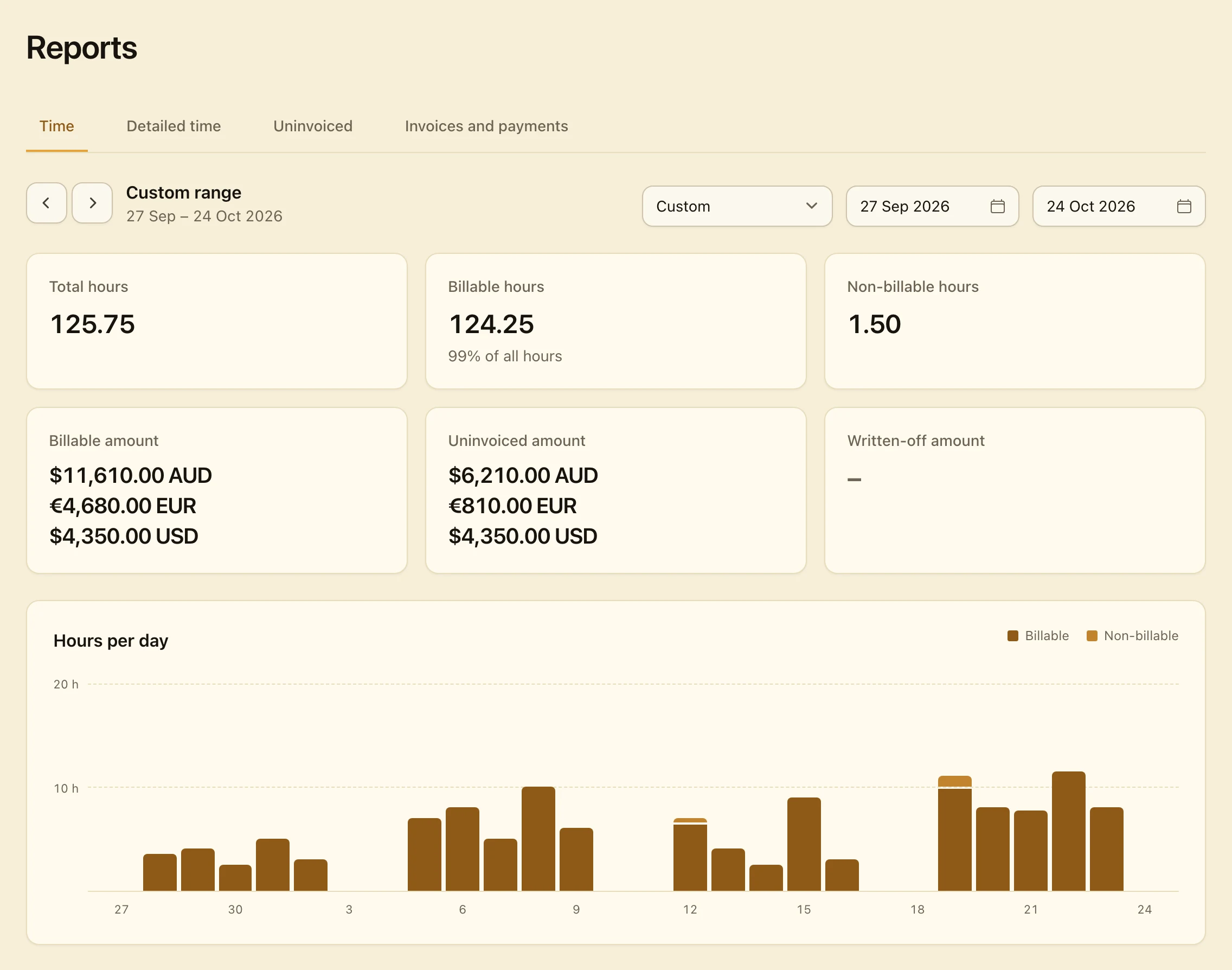
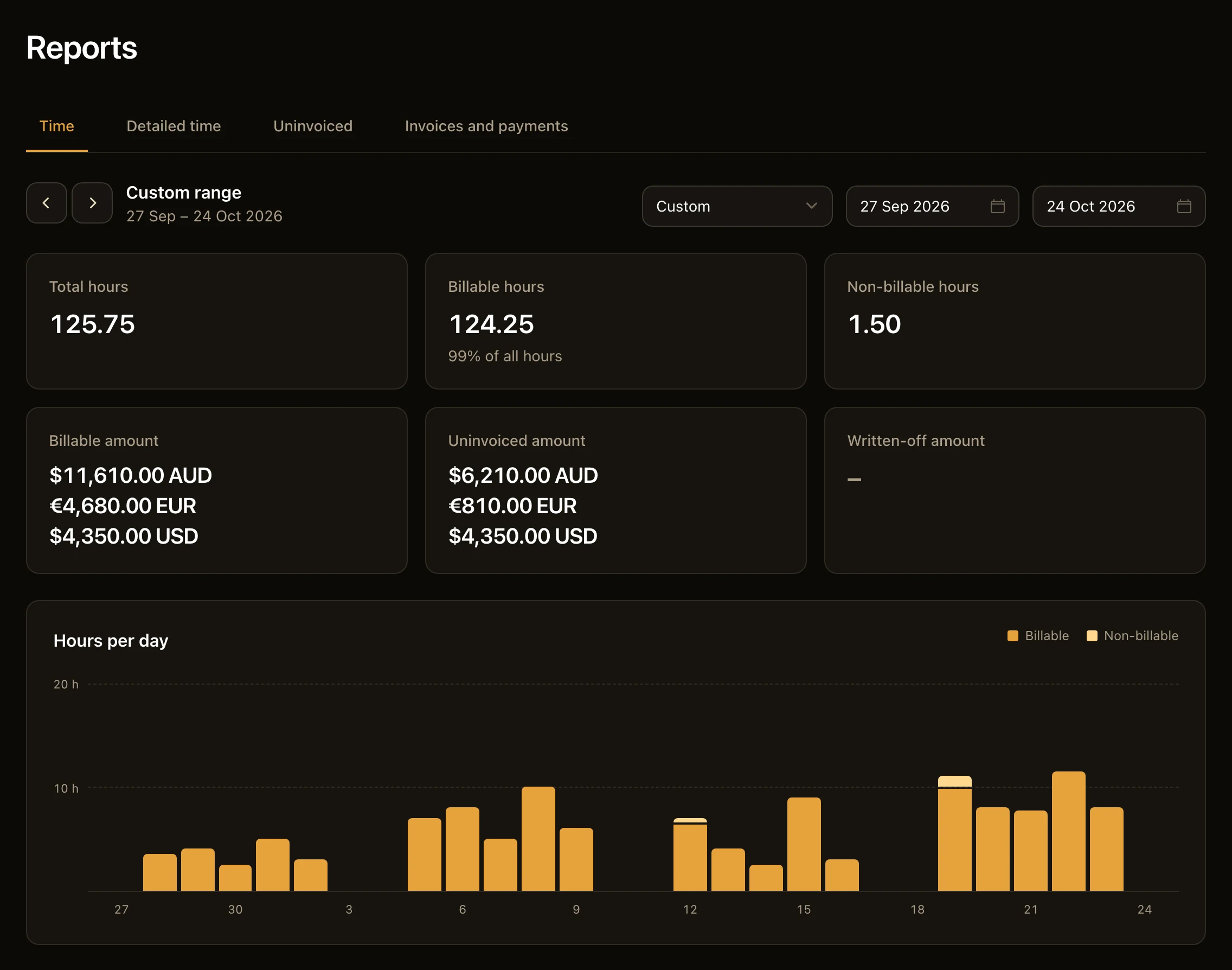
The Time report for four weeks: 125.75 total hours, 124.25 of them billable, the billable and uninvoiced amounts in AUD, EUR and USD and a chart of billable and non-billable hours per day.

Know where you stand.

The dashboard shows what to invoice, what is overdue and what needs your attention.

  • Money pipeline uninvoiced to paid
  • Needs attention Overdue
  • Uninvoiced by client Invoice
  • Key figures of the month
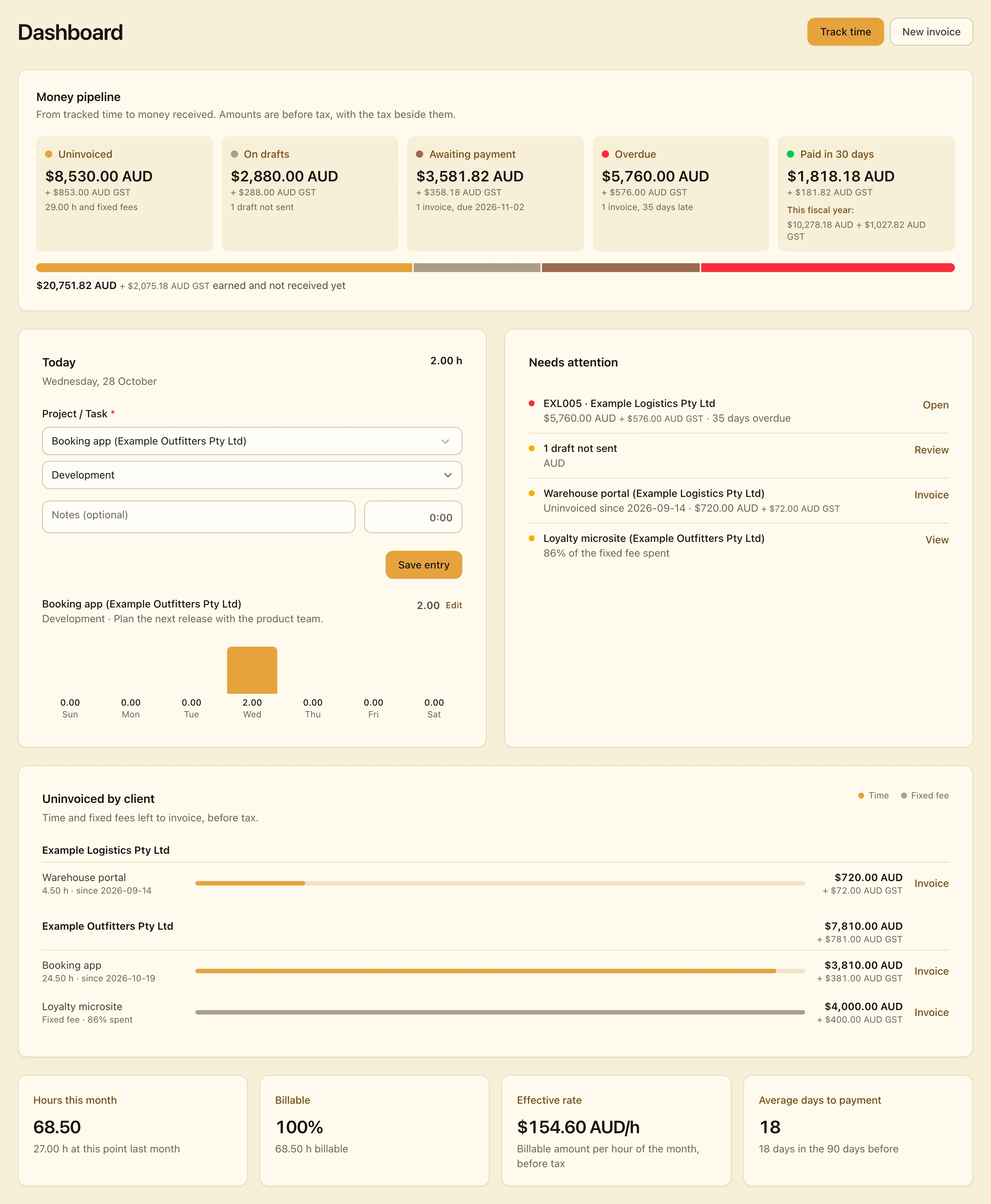
The dashboard of Hourbun: the money pipeline from uninvoiced to paid, today’s time, the items that need attention (an overdue invoice, a draft that is not sent, old uninvoiced time and a fixed-fee project with 86% of its fee spent), the uninvoiced amount of each client and the key figures of the month.

More when you need it.

Hourbun starts simple. Estimates, expenses and the finer points of an invoice are ready when a job asks for them.

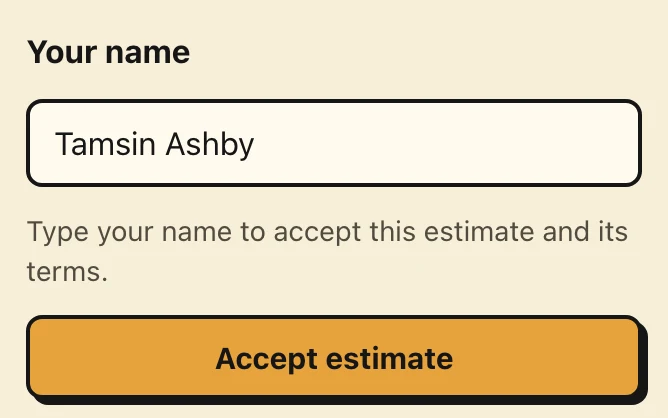
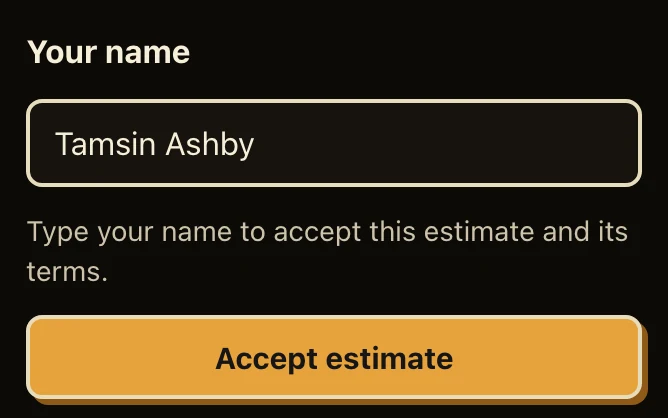
The form a client uses to accept an estimate, on a phone, with the name Tamsin Ashby typed in.

Before the work

Quote it first.

Agree on the price before you track an hour.

  • Estimates

    Your client accepts or declines online, with a typed name.

  • Into a project

    An accepted estimate becomes a project with its budget, or a deposit invoice.

  • Budgets

    In hours or in money, with a warning on the dashboard.
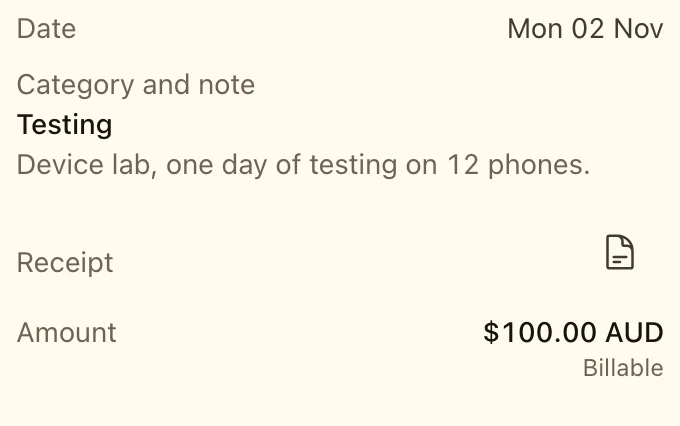
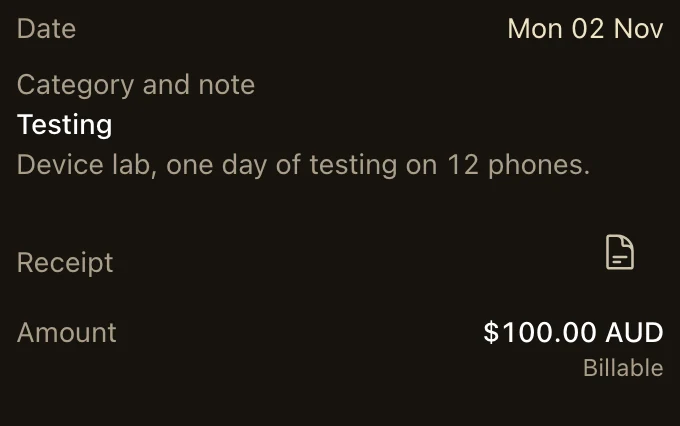
An expense on the Expenses page of a phone: $100.00 AUD for a device lab, in the category Testing, with its receipt, billable.

Beyond the hours

Bill more than time.

Costs and regular work go on the invoice too.

  • Expenses

    With the receipt, a category and the markup of the project.

  • Recurring invoices

    A fixed amount or the period’s time, on a schedule, as a draft or sent for you.

  • A saved card

    Your client can save a card to pay each recurring invoice on the day it’s issued.

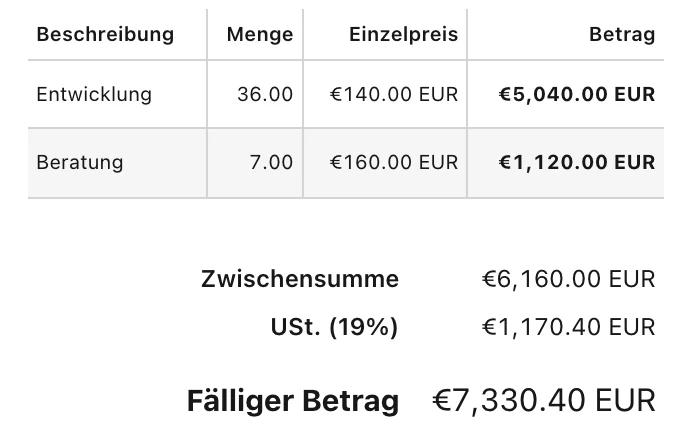
An invoice in German on a phone, as the client sees it: two lines grouped by task, the subtotal, the tax of 19% and the amount due of €7,330.40 EUR.

On the invoice

Invoice your way.

Fit each client, and fix a sent invoice with a credit note.

  • Grouped lines

    One line for each project, task or person, with the detail on later pages.

  • Tax and rounding

    A tax on each line, a second tax, and time rounded to 6, 15 or 30 minutes.

  • Your client’s language

    Invoices in nine languages, from German to Japanese, with your client’s PO number.

Bring your team.

Hourbun starts solo and grows with your team: invite teammates, approve their time, see their week and know what each hour earns.

Four plain roles.

Invite teammates by email as members, managers or admins. Members never see rates or amounts.

  • A manager sees amounts if you allow it
  • Invitation links last 7 days
  • Who changed what in the activity log
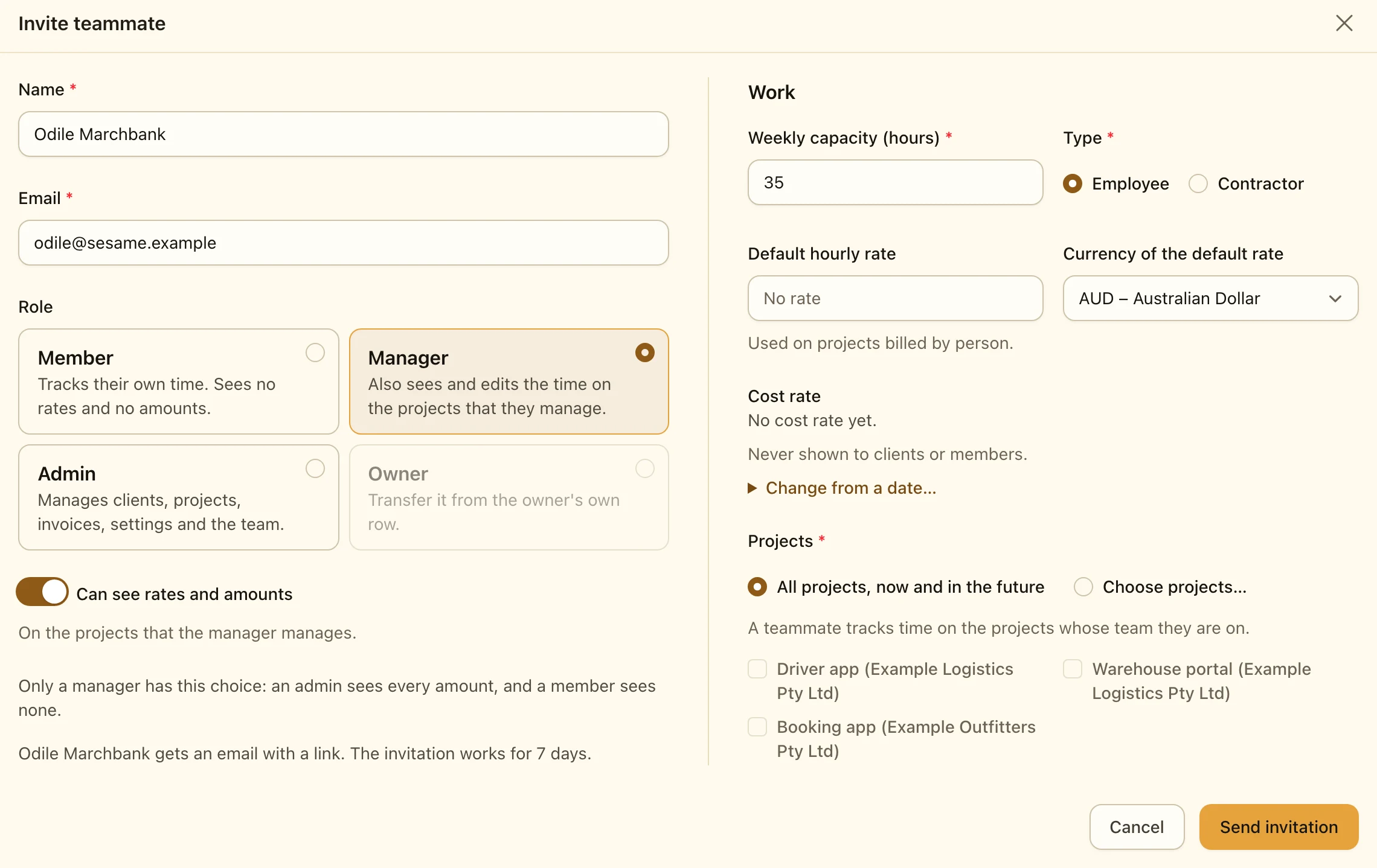
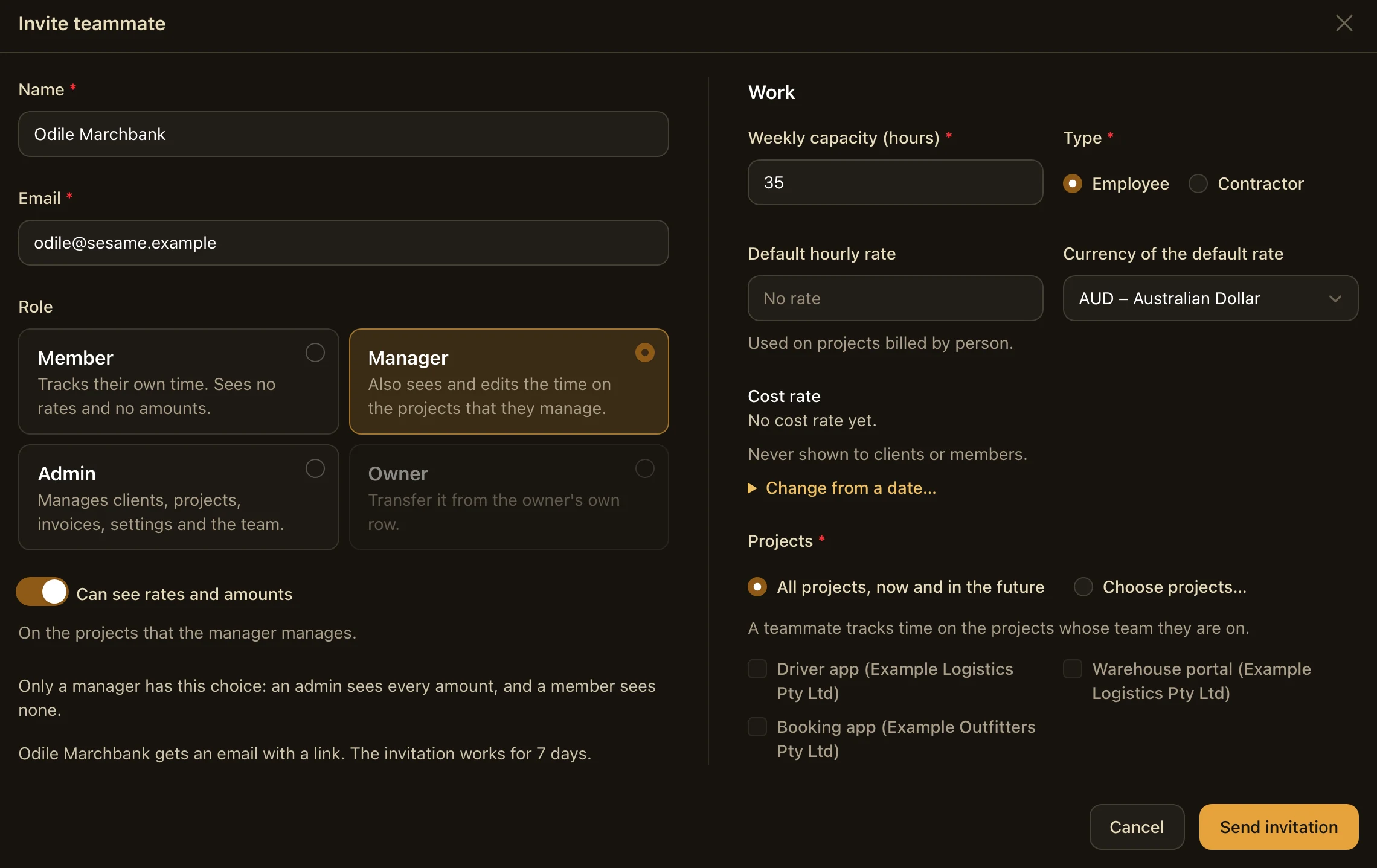
Inviting a teammate: their name and email, the role as four cards (Member, Manager, Admin and Owner) with Manager chosen, the switch “Can see rates and amounts”, and their work details: weekly capacity, type, default rate, cost rate and projects.

Approve before you bill.

Teammates submit their week, managers approve it or send it back, and only approved time is invoiced.

  • Request changes with a note, by email
  • Approve several weeks in one click
  • Reminders by email, at your deadline
  • Approvals on or off
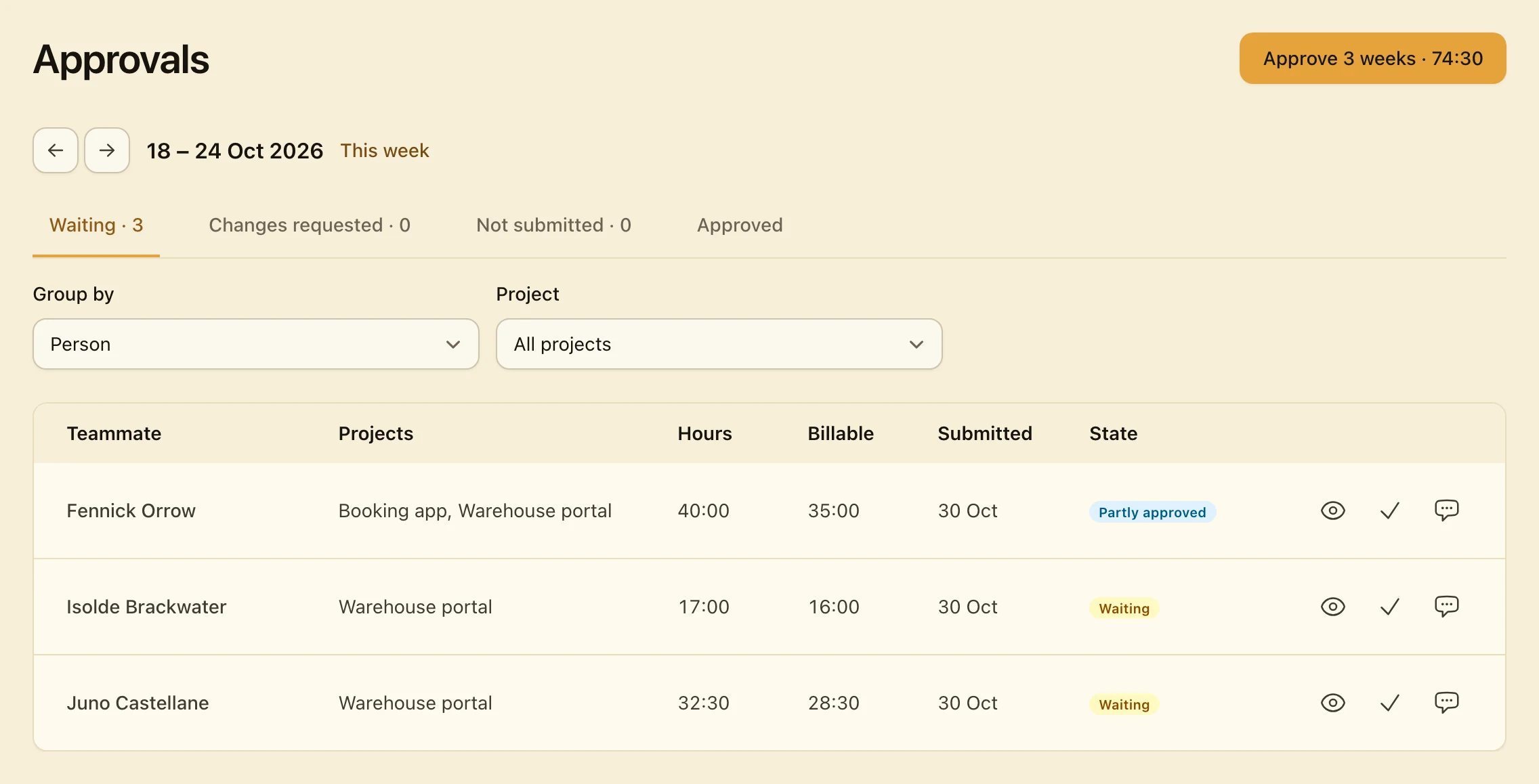
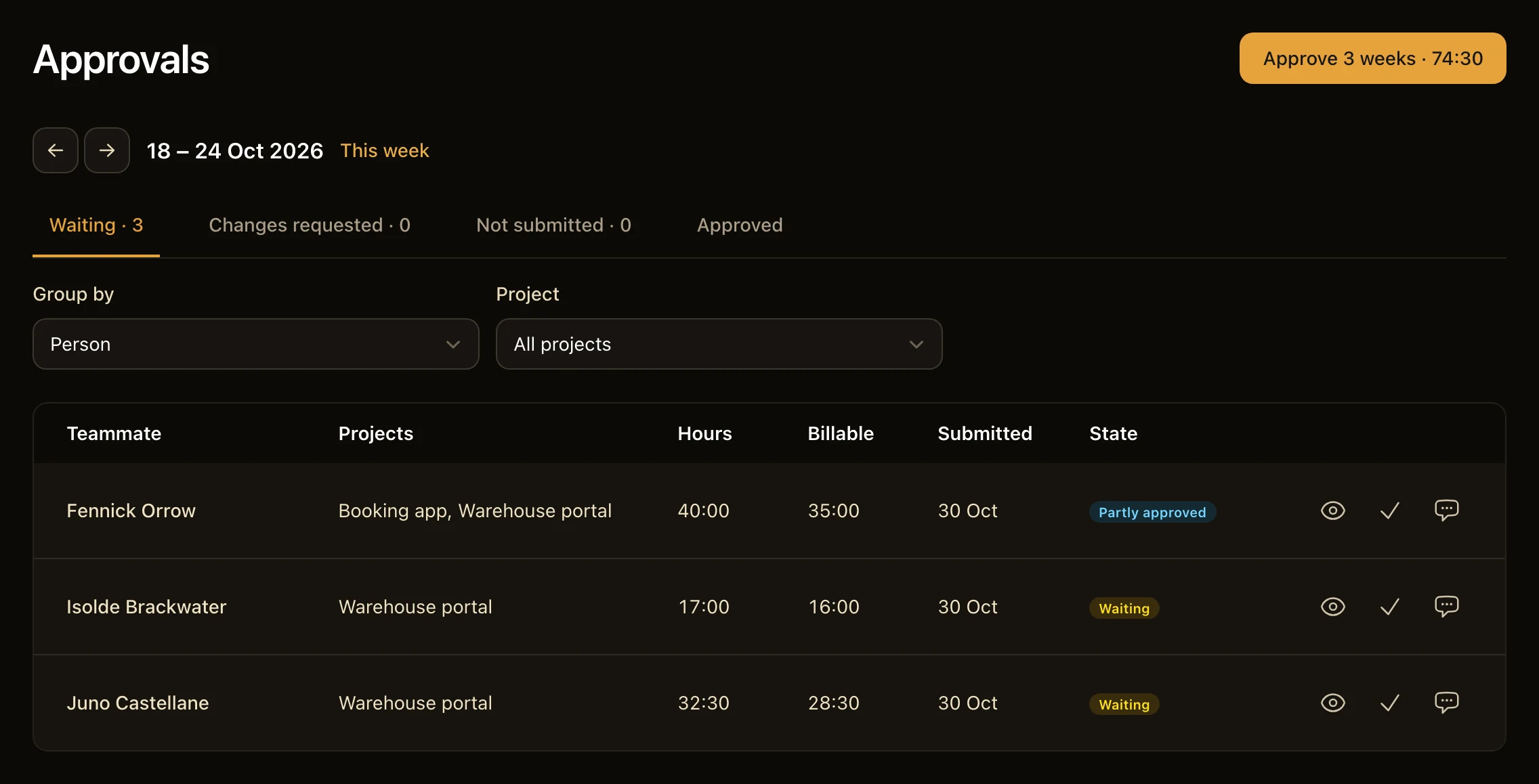
The Approvals page of a week: the tabs Waiting, Changes requested, Not submitted and Approved, and three weeks that wait, each with the teammate, the projects, the hours, the billable hours and its state, one of them partly approved.

Each teammate’s week.

The Team page shows each teammate’s hours against their capacity, billable or not, and the state of their week.

  • Weekly capacity for each teammate
  • Over capacity 40:00 / 35:00
  • Employee or contractor
  • Open any teammate’s timesheet
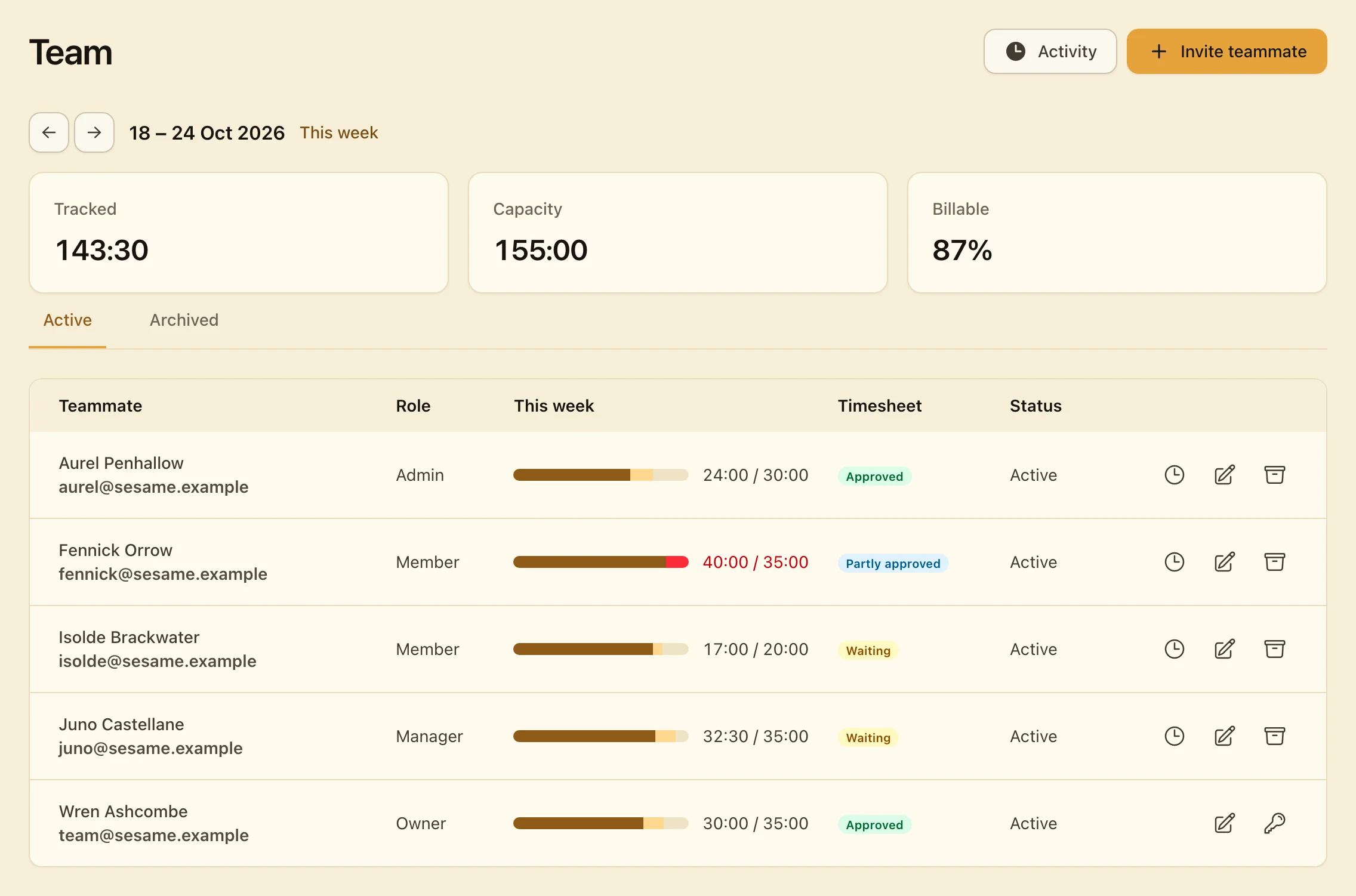
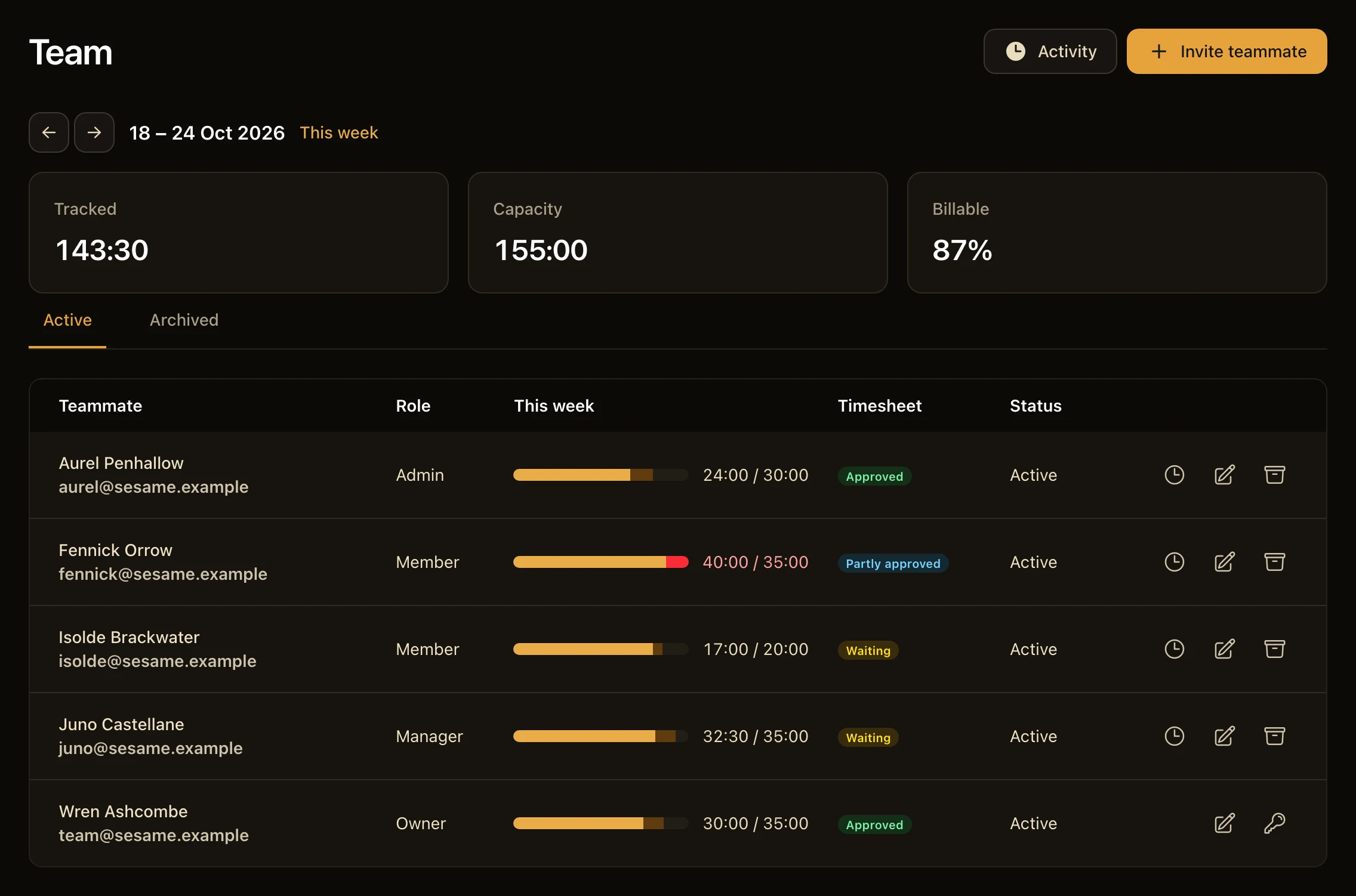
The Team page of a week: 143:30 tracked of a capacity of 155:00, 87% billable, and five teammates, each with their role, a bar of their billable and non-billable hours against their capacity, and the state of their week.

What each hour earns.

Set rates by task or by person, and see the cost and profit of each teammate’s time.

  • Hourly rate by task or person
  • Cost rates never shown to clients or members
  • Profit by teammate
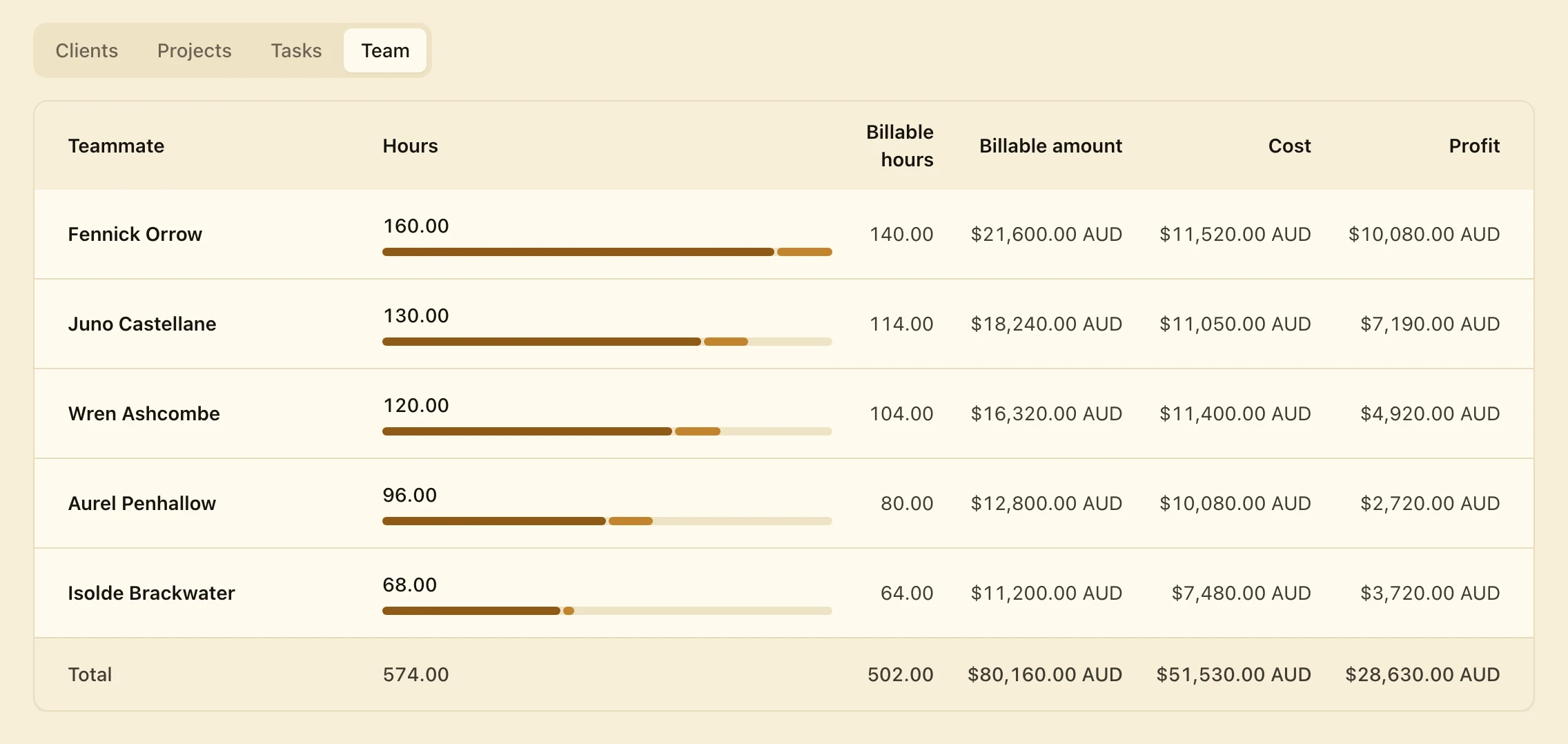
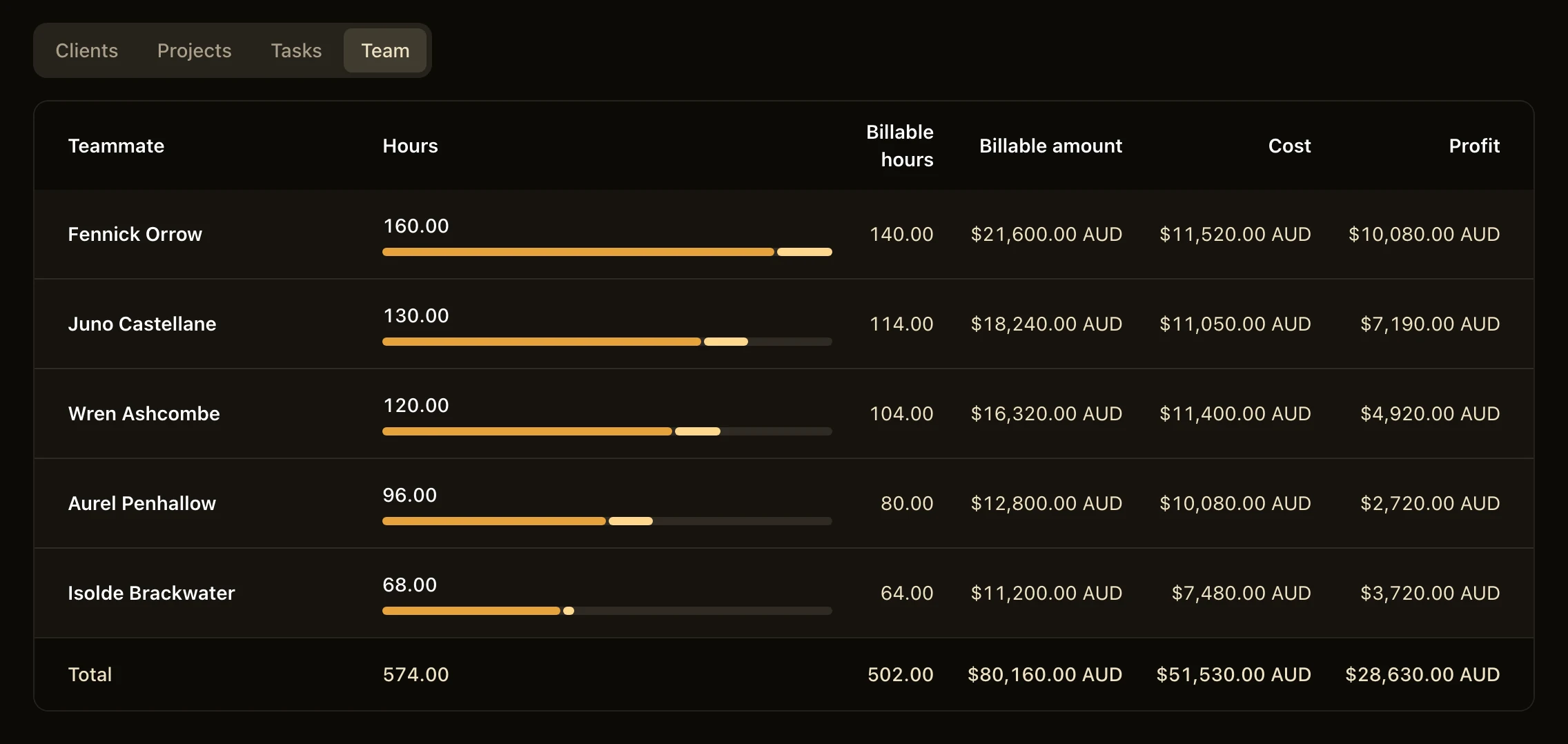
The Team tab of the Time report for four weeks: the hours, the billable hours, the billable amount, the cost and the profit of each of five teammates, with a total of 574.00 hours and a profit of $28,630.00 AUD.

Fits right in.

Hourbun works with the tools you already use, and your data stays yours.

In from Harvest or any CSV. Out to Xero.

Bring the history of your old time tracker, whichever it is, and keep your books in step.

  1. Harvest or Any CSV
  2. Hourbun
  3. Xero
Compare Hourbun with Harvest Compare Hourbun with other apps
  • Move from Harvest.

    Connect your Harvest account to import its clients, projects, people, time, expenses and estimates, and check a preview before anything is added.

    • Invoices and payments with their taxes, discounts and history
    • Expenses and budgets with the receipts, and budgets in hours or money
    • Your Harvest team too teammates, project teams, rates and the cost of past time
    • Nothing imported twice
    • Your Harvest token encrypted, and deleted once your data is read
  • Or from any other app.

    Export CSV files from your old time tracker or a spreadsheet, and upload them as separate files or as one .zip file.

    • Time entries in your own column names
    • Clients, projects and expenses with their rates, taxes and budgets
    • Past invoices with their taxes, discounts and payments
    • An AI agent can help give it the format guide and your export
    • Past invoices or not your choice, on each import
  • Copied to Xero.

    Each invoice and credit note that you issue is copied to your Xero organisation, with its lines and tax.

    • One way Hourbun → Xero
    • A re-issued invoice updated in Xero
    • Payments copied if you choose

Light, dark and on your phone.

Every page works in light and dark mode and fits a small screen, so you can track your hours on the train home.

Your data is yours.

Download a whole workspace as CSV files, or your account as one JSON file, at any time. Delete your account, and the workspaces that you own go with it.

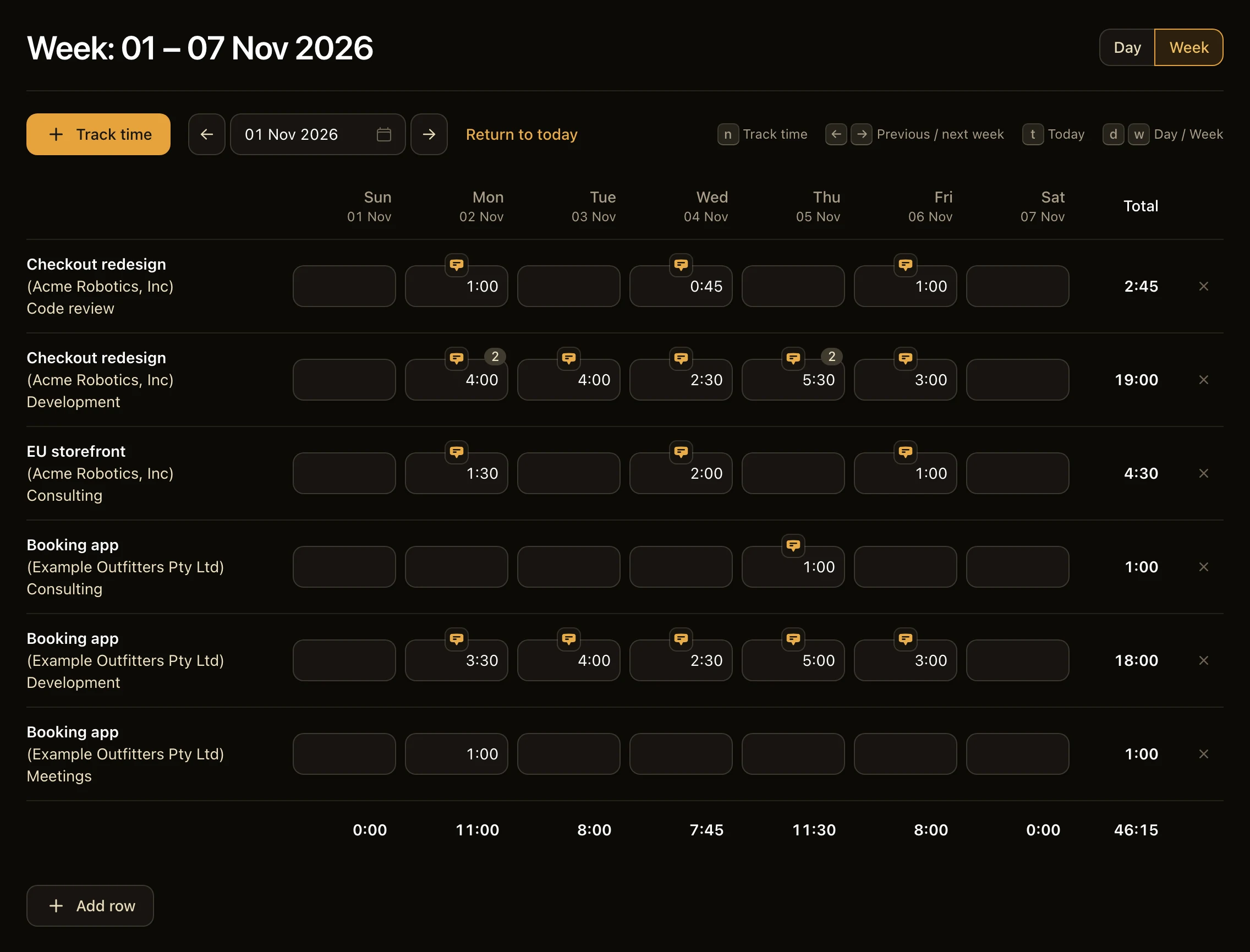
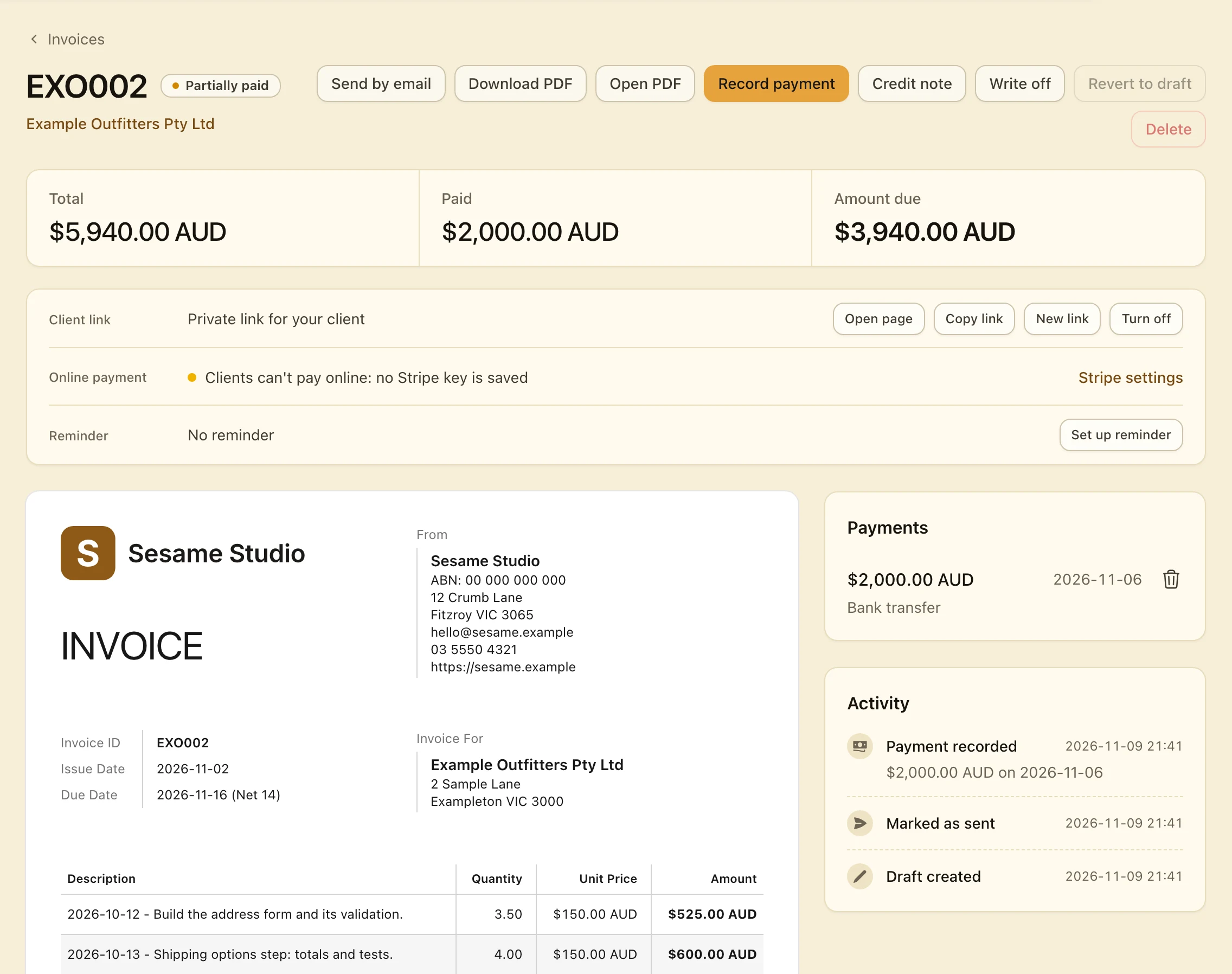
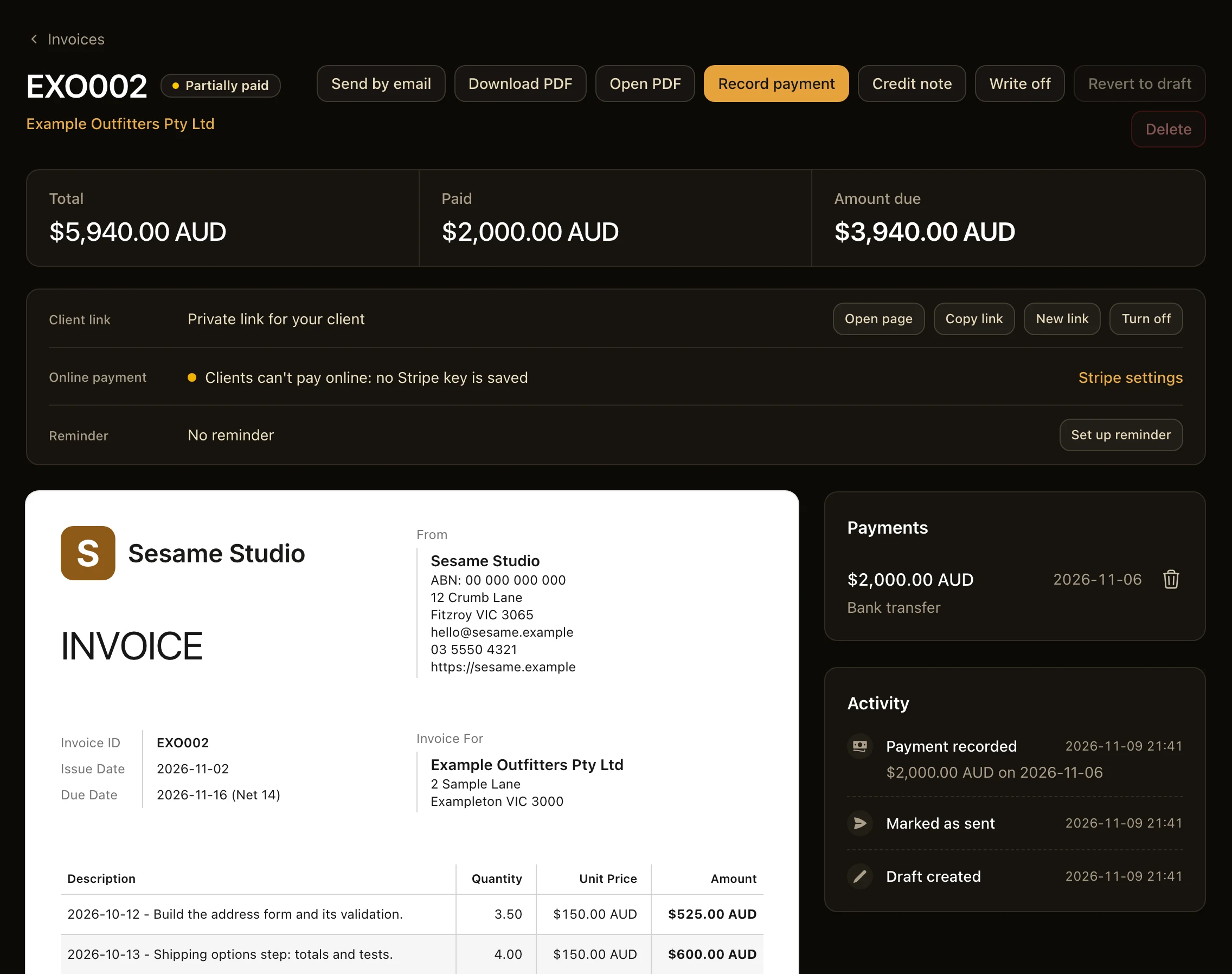
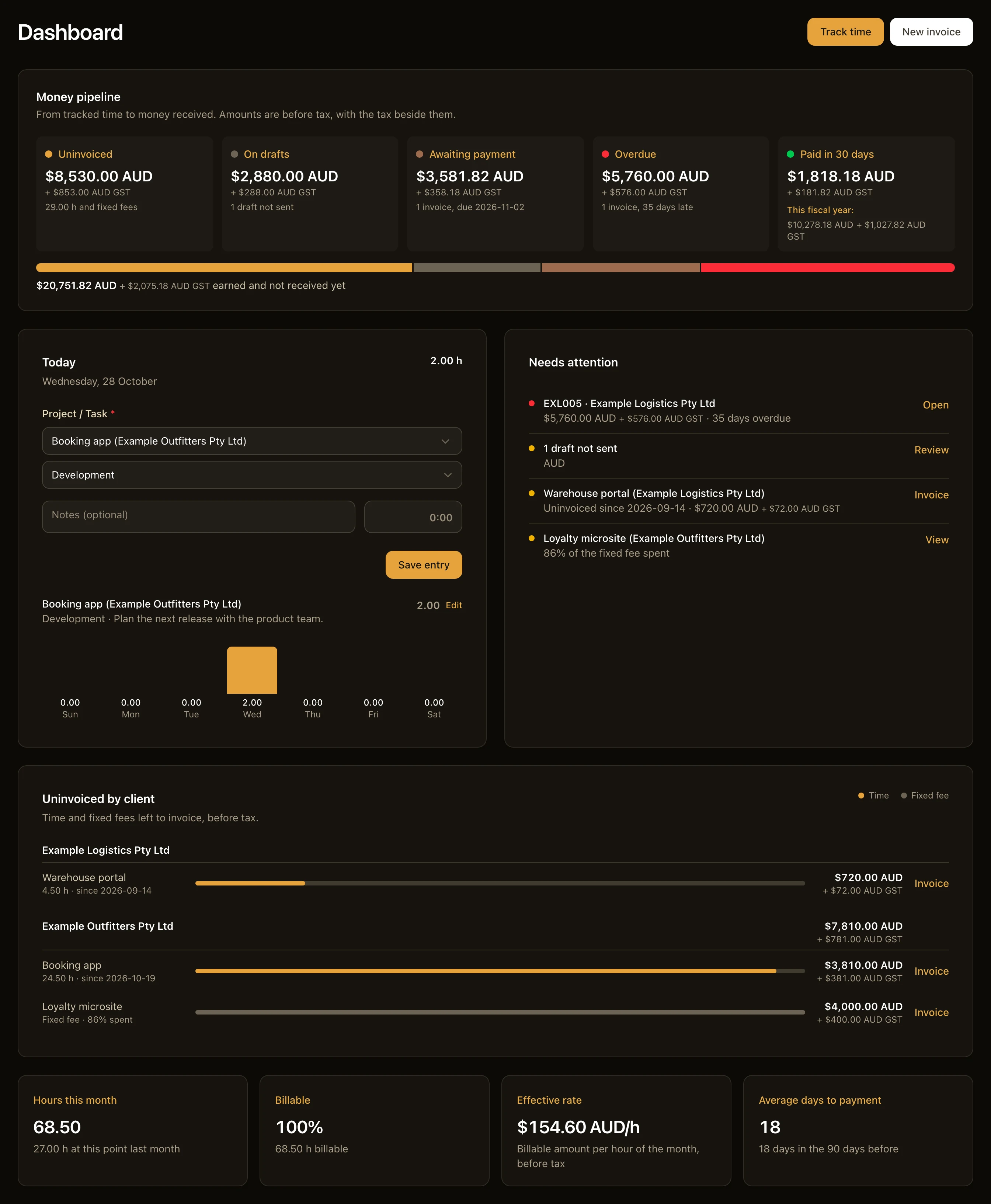
The Week view, half in light mode and half in dark mode.
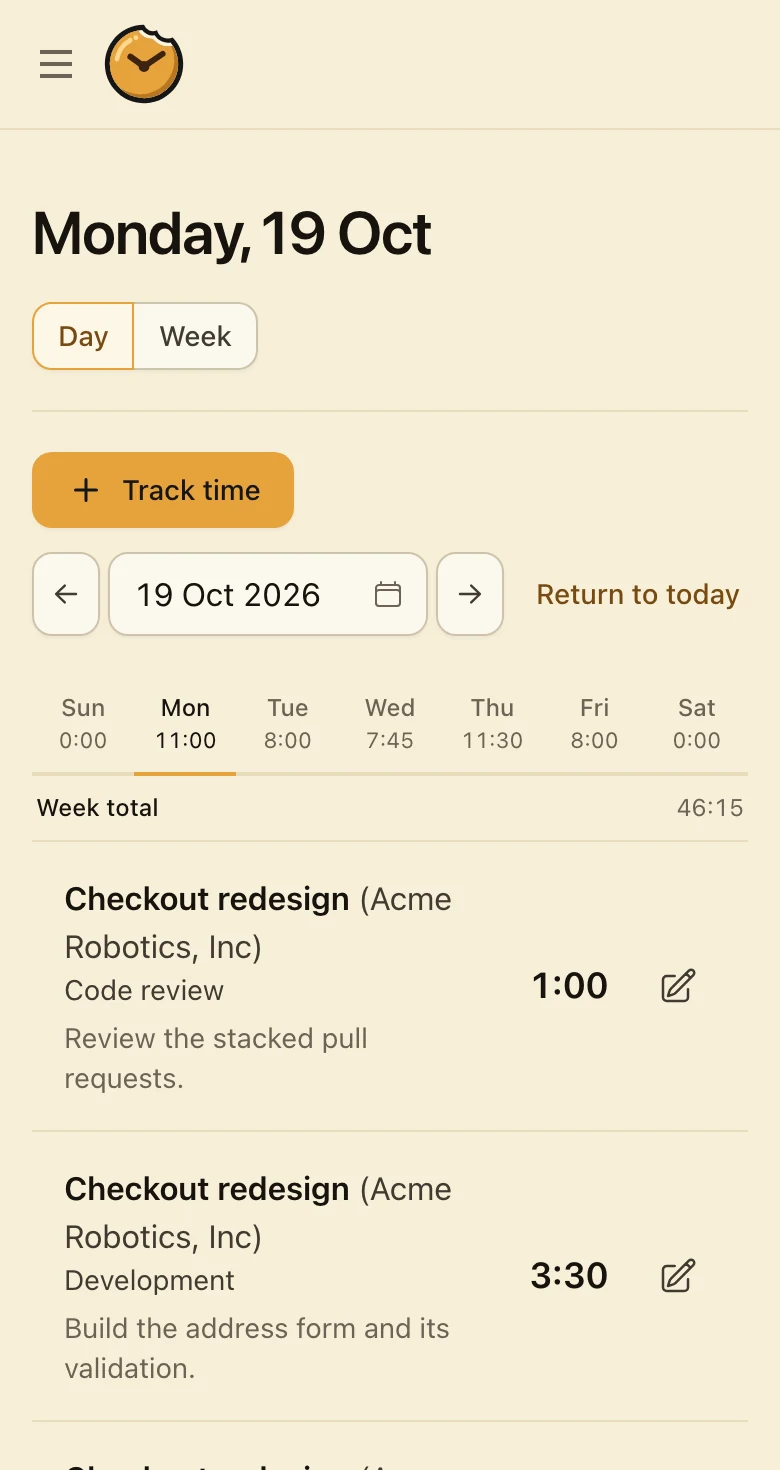
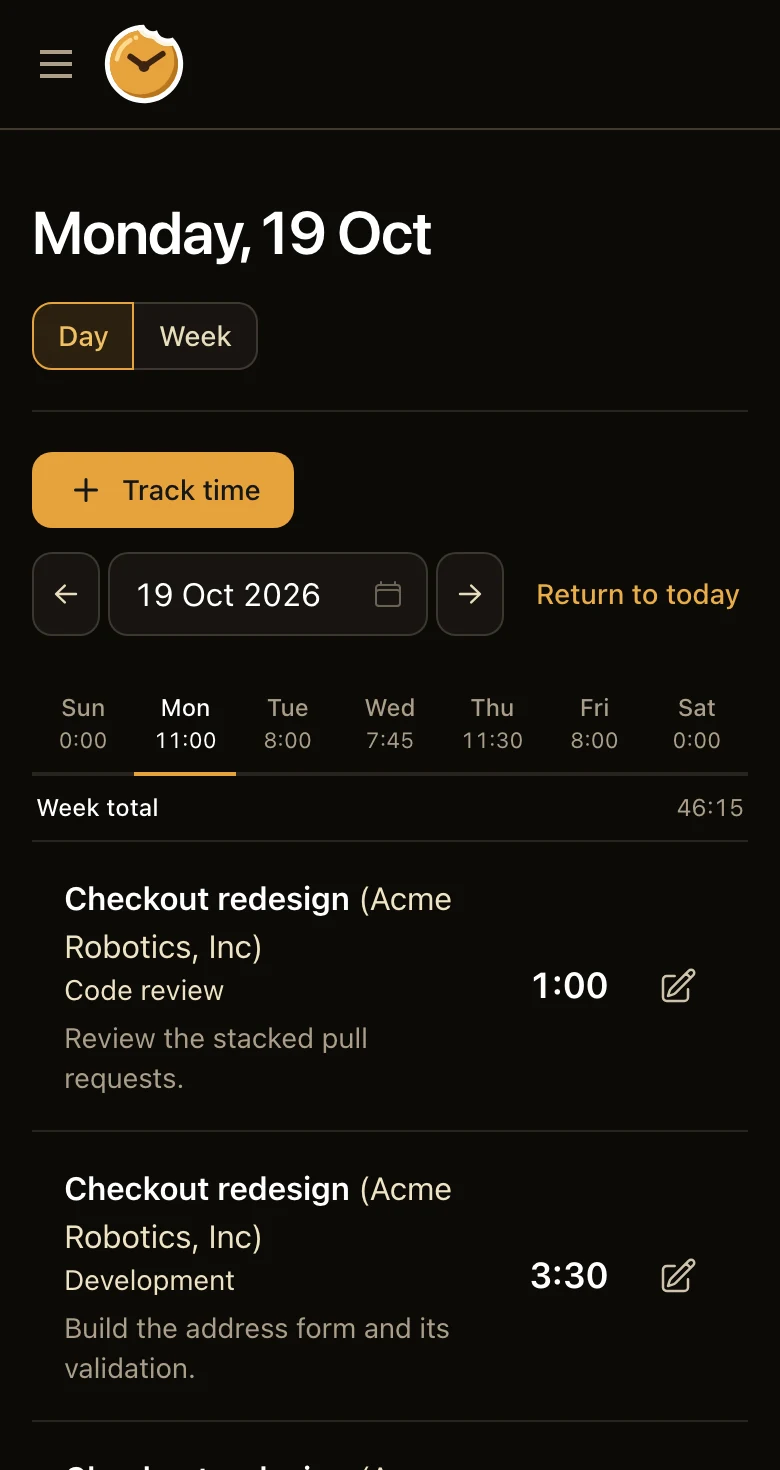
The Day view on a phone.

A note from the maker

Over the years, I’ve tried dozens of time tracking and invoicing apps, some simple and some powerful. None of them felt quite right.

So I baked Hourbun with one goal: tracking time and sending invoices should be simple and intuitive, so more of your time and energy goes into the actual work.

— Fred Wu, maker of Hourbun

Simple plans. Priced by the team, not the hour.

Every plan has time tracking, invoices, online payments and reports. Pick yours by the size of your team.

Duo

$15

per month in total, not per seat

Up to 2 seats

  • Time tracking, timers and the week grid
  • Invoices, reminders and online payments
  • Estimates, expenses and recurring invoices
  • Reports, the dashboard, Harvest and CSV imports, and Xero
Start free trial

Most teams

Team

$99

per month in total, not per seat

Up to 30 seats

  • Everything in Duo
  • Approval workflows for time and expenses
Start free trial

Enterprise

Let’s talk

31 seats or more

  • Everything in Team
  • SSO on request
  • A price for your number of seats
  • Help with the move from your old tool
  • Invoiced billing
Contact us
  • 14-day free trial
  • No card to start
  • Prices in USD. GST is added for customers in Australia.
  • Cancel at any time

Questions and answers.

What Hourbun does, in short answers.

What is Hourbun?

Hourbun is a web app for fast, intuitive time tracking and invoicing: you track your hours, turn them into PDF invoices and record the payments. With a team, Hourbun also tracks the time of your teammates, and a Team or Enterprise workspace can approve their weeks before it bills them.

Can my clients pay an invoice online?

Yes. Link your own Stripe account to Hourbun, and your client can pay an invoice by card or bank debit from its page. The money goes straight to you, and Hourbun records the payment.

Can I bill clients in different currencies with Hourbun?

Yes. In Hourbun, each client or project can have its own currency, and reports keep a separate total for each currency.

Do my clients need an Hourbun account?

No. Hourbun emails each invoice to your client with the PDF attached and a link to its page, and replies come to you. You can also download the PDF and send it yourself.

Can I export my data from Hourbun?

Yes. In Hourbun, the owner and the admins of a workspace can download all of its data as CSV files in one .zip file, with the receipts and the logos, from Settings → Export. Each user can also download their account as one JSON file from the Your data page, with the data of each workspace that they own.

Start the clock.

Add a client, track your first hour, and send the invoice when the work is done.